patchhausthe new way to make audio plugins
build your own audio plugins.
For beginners, sound designers, and engineers. Patch the sound, design the interface, and ship a real, native audio plugin.
macOS beta now · Windows coming
prompt · graph · design · export · in your daw
for sound designers and producers
make an instrument nobody else has.
The AI helps you try more ideas.
What your plugin sounds and looks like is up to you.
start with a sound
Wire oscillators, filters, and envelopes on one canvas, and hear every change while you play with it.
an ai that plays along
Ask it for a starting point, a weirder variation, or the knob you're missing. It edits your patch, and you keep what sounds right.
yours to play
Give it a face, export it, and play it in the DAW you already use — as a VST3, AU, or CLAP plugin, or a standalone app.
01
the graph.
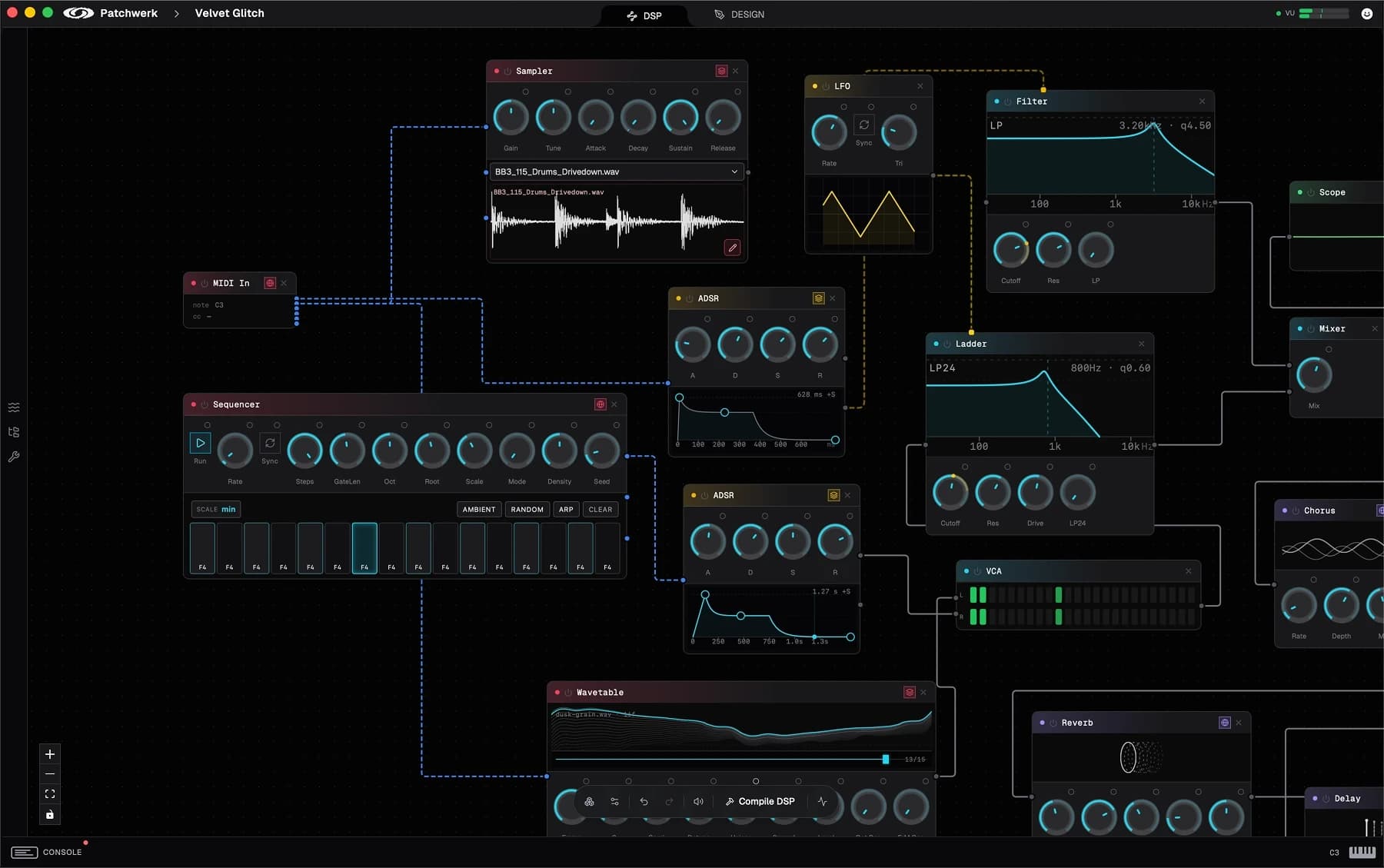
Wire oscillators, filters, and envelopes on one canvas. Patch a synth, then rewire it into an effect.
Build the graph by hand, or describe your idea and let the AI draft it.
02
the design.
The sound is done — now you design it.
Drag out knobs, sliders, and meters, bind them to parameters, and build the face of your plugin. It's the web inside: HTML, CSS, and WebGL, running in the plugin at full frame rate.
03
the export.
One export builds a real, native plugin — VST3, AU, and CLAP — and a standalone app. Drop it into your DAW.
macOS beta now · Windows coming
works in your daw.
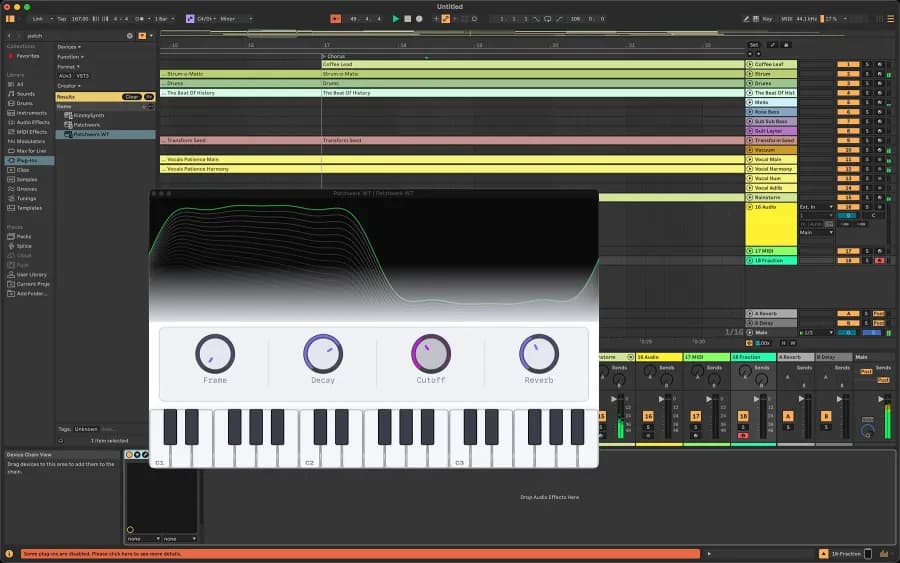
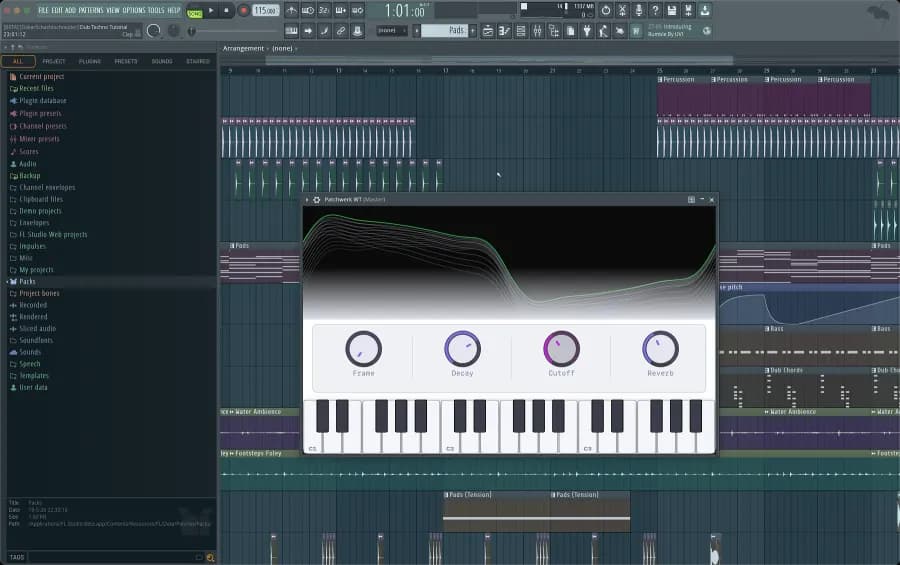
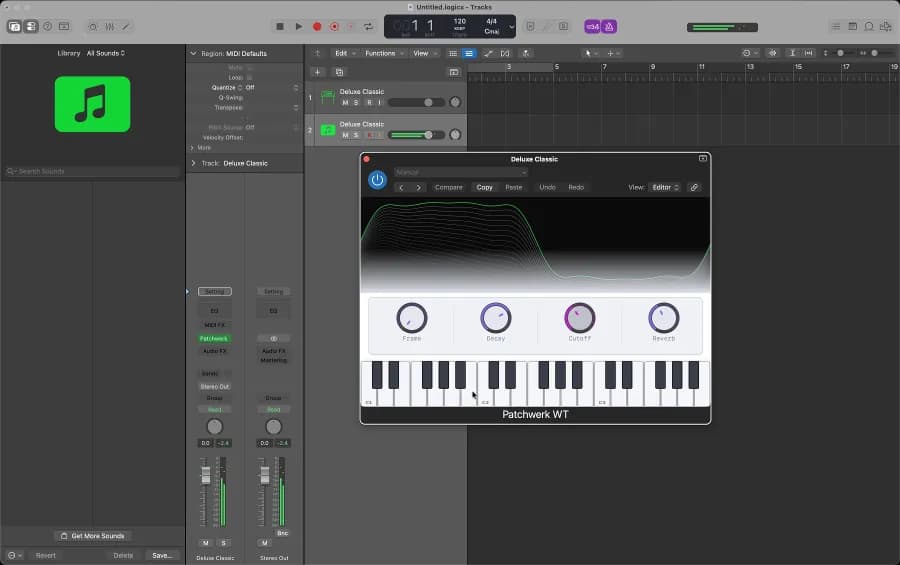
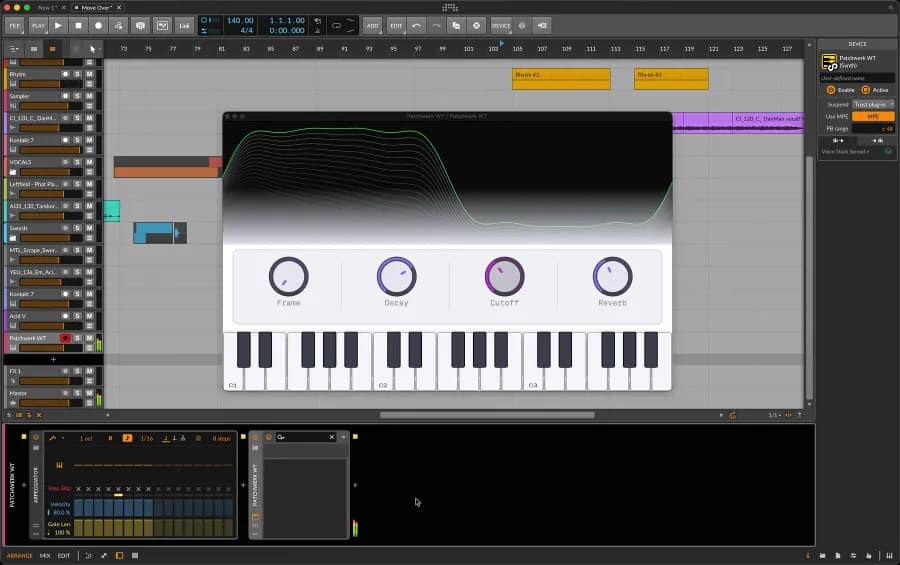
Patchhaus WT, a wavetable synth made in Patchhaus, open in Ableton Live, FL Studio, Logic Pro, and Bitwig Studio. Your exports load in any DAW that takes VST3, AU, or CLAP. Pro Tools needs AAX, which Patchhaus doesn’t export.
early access
build anything.
A sampler instrument, a new kind of synthesizer, a drum machine, an EQ, or the plugin nobody has made yet.
macOS beta now · Windows coming
pole dsp powers every block.
You build by connecting blocks. Every one of them runs on Pole DSP, the audio language we made for Patchhaus.
Want to go deeper? Write your own blocks in Pole DSP and share them. The wiki shows you how, and the AI will gladly help.
scream.pole
loop
{
  // …
  let r = rise ();
  let hz = 150.0f + 500.0f * r
         + 40.0f * sin (t * 195.0f);
  p = frac (p + hz / sr);
  out <- 0.2f * r * tanh (saw (p) * 8.0f);
  advance();
}live on this page
press play.
Every window here is wired to one Pole patch, compiled to WebAssembly for this page. Export the same patch and it runs as native code in your plugin.
1 pole patch, 3 instruments
running in your browser
nothing to install
press play to load it
questions
faq.
Do I need to know C++?
No. You build the sound by connecting blocks on a canvas, and the AI can help you get started from a description. If you want to go deeper, you can write your own blocks in Pole DSP, our language for audio.
What can I export?
VST3, AU, and CLAP plugins, or a standalone app. The export is real, native code for Apple-silicon Macs that loads in your DAW or runs on its own. Pro Tools needs AAX, which Patchhaus doesn't export.
Does it run on Windows?
Not yet. Patchhaus is in beta on macOS now, and Windows is coming. There is no date.
Do I have to use your AI?
No. You can build everything by hand. The built-in assistant runs on Patchhaus credits, and the free beta includes 20 a month. You can also connect your own agent, like Claude Code, through Patchhaus's local MCP server and pay your provider directly. Either way, the patch, the sound, and the plugin stay yours.
Do my plugins need Patchhaus to keep working?
No. You export a standalone plugin. It doesn't phone home and doesn't need us to keep running.
What is Pole DSP?
The audio language we made. Every block in Patchhaus runs on it, and your plugin is compiled from it to native code. You don't need to write any: you connect blocks. To go deeper, write your own blocks in it and share them; the wiki shows you how, and the AI will help.